Write your last timesheet. The next one's already done.
Tokuma Time creates your timesheet automatically, by keeping track of the calls, emails, research and documents you work on. All you do is check it and send it off.
Already writing timesheets for lawyers in
- Hong Kong
- Singapore
- Tokyo
- New York
How it works
- 01
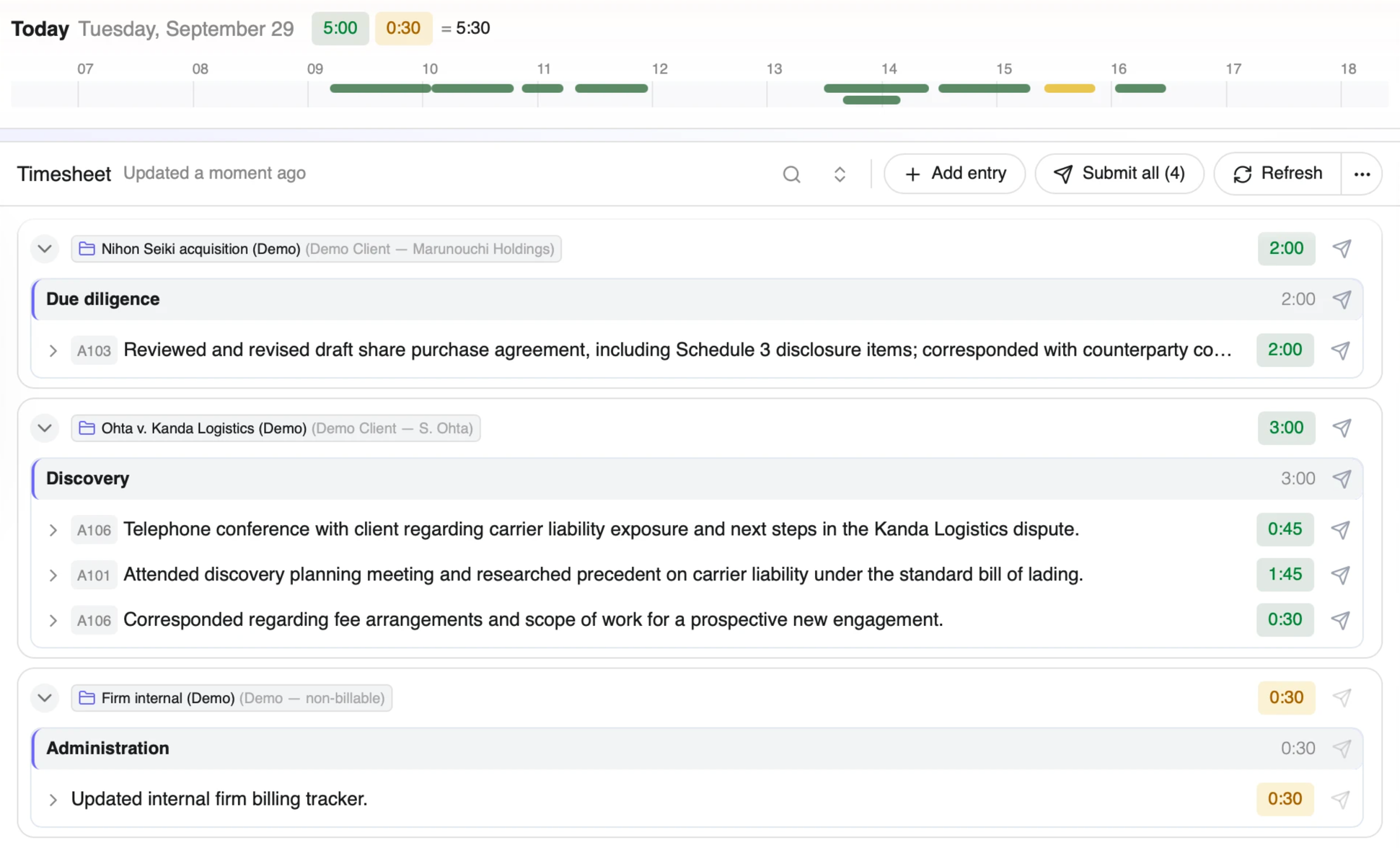
You work. Tokuma Time writes it down.
Tokuma Time catches every call, email and draft, in Word, Outlook, Teams and over 30 other apps, and writes each time entry for you, narrative included.
Works in Word · Outlook · Teams · Excel · Acrobat · WhatsApp · Westlaw · HK e-Legislation · HK Judiciary · Companies Registry · and more. On Mac and Windows.
- 02
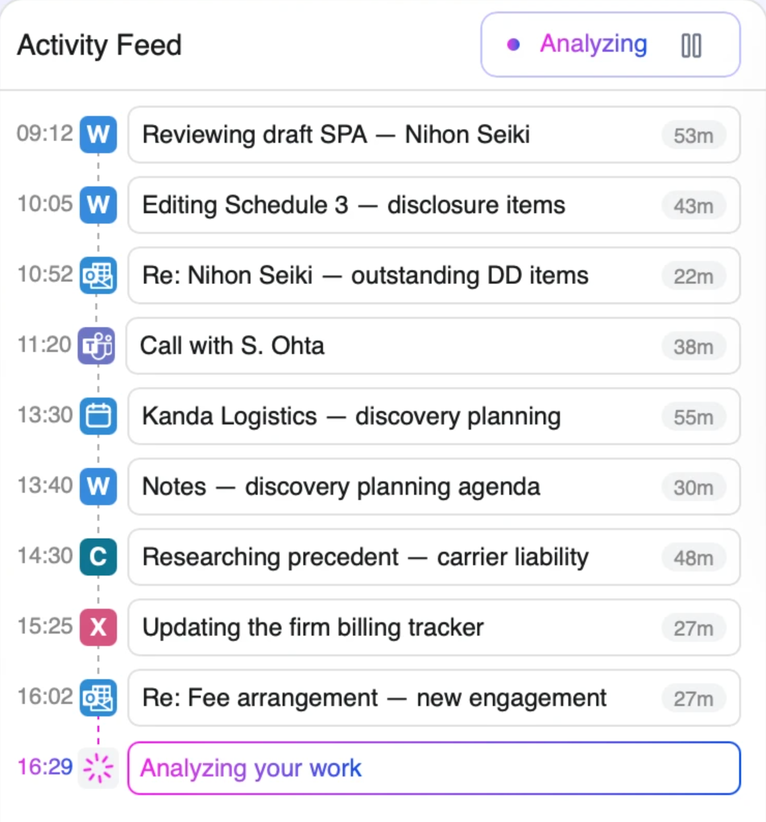
You check. Tokuma Time has filed it.
Tokuma Time files each entry to the right client and matter on its own. Anything it can't match, you drag into place in seconds. It learns from you, so there's less to do every week.
- 03
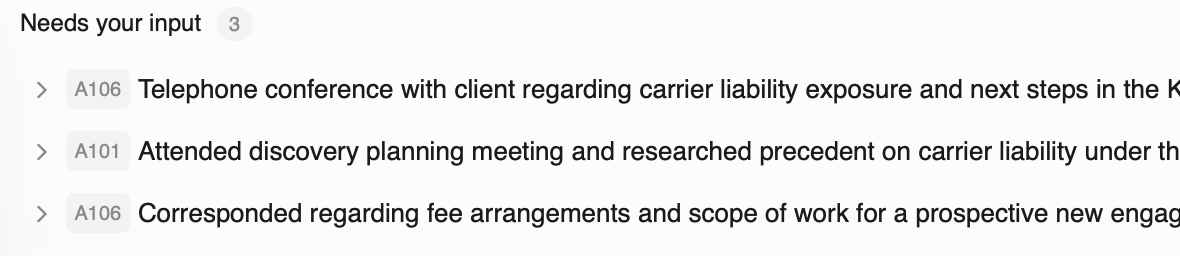
You submit. Straight to billing.
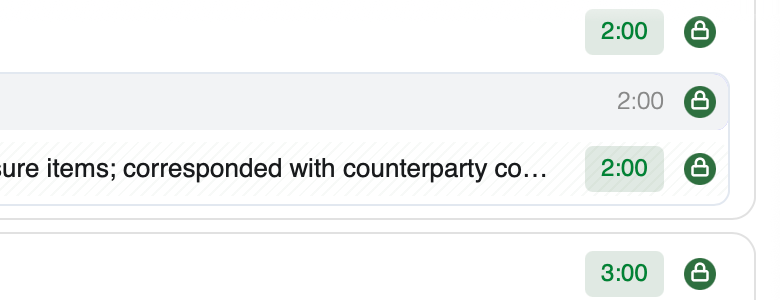
Press Submit and go home. Nothing is billed without you.
Your submitted time goes straight into your firm's billing system.



3 minutes A day to submit.

“I built the timekeeping I wanted when I was practicing.”
Mathias Bock Co-founder · Hong Kong solicitor, ten years of M&A at Linklaters
Talk to Mathias(opens in a new tab)Why it pays
Bill for the work you forgot.
The calls and quick emails slip through. Tokuma Time catches them.
Leave your time a week and you can lose up to a fifth of it. Leave it longer, and you can lose more than half.
Law Practice magazine (American Bar Association), 2025Got a team?
Know the bills are ready. No chasing.
See who's up to date, at a glance.
- See whose time is missing. Tokuma Time shows every day someone worked but hasn't submitted time.
- See who's stretched, and who has room to help another client.
- Bills go out on time. Submitted time goes straight into your billing system.
| Person | Day by day | Submitted | Days to submit |
|---|---|---|---|
| Jenny Wong Partner | 146.2 h | — | |
| Samuel Lee Associate | 141.8 h | 1 | |
| Karen Tam Associate | 112.4 h | 5 | |
| Marcus Ho Trainee | 128.9 h | — |
-
Where
Your data stays in your region
-
Your firm sees
Your hours, never your screen
-
Training
Never used to train AI
-
Control
Nothing billed without you
Questions
Short answers.
Anything else? WhatsApp (opens in a new tab) or email us.
What is Tokuma Time?
Tokuma Time is automatic timekeeping software for law firms. A small app on your computer drafts your timesheet, including the narratives, from the work you already do. You check it in about three minutes at the end of the day and submit it to billing.
Do I have to change how I work?
No. No timers, nothing to fill in. Work as you always do.
What does Tokuma Time look at?
The work apps you use — Word, Outlook, Teams, Westlaw and others — to find the right matter. Personal browsing is ignored.
Does it look at my screen?
No. It never looks at your whole screen, only at the app you're working in. To fill in detail, Tokuma Time may take a picture of that app. It reads it on Microsoft Azure, in the region your firm chooses. No person ever sees it, and it is deleted once it is no longer needed.
Can my firm see what I'm doing?
No. Your firm only sees how many hours you worked each day, and the entries you submit. Never your screen, your activity or your drafts.
Where is my data?
On Microsoft Azure, run by the same Microsoft that already holds your firm's email and documents. It stays in the region your firm chooses, and the AI runs there too. Each firm's data is kept apart from every other firm's, encrypted while it moves and while it is stored, and never used to train AI. If your firm's policies require it, Tokuma Time can run inside your own systems instead.
Can it bill anything without me?
No. Nothing leaves until you press Submit.
Can I switch it off?
Yes. You can pause it, or switch it off, at any time.
Does it work with our billing system?
Yes. Your submitted time goes straight into your firm's billing system, such as Clio, Smokeball, LEAP, Intapp, Aderant and others.
What do I need?
A Mac or Windows computer. If your firm uses Microsoft 365, Tokuma Time can also use your calendar, email, Teams calls and chats, and documents. Your IT connects it once, from your firm's own Microsoft account, and can switch it off at any time.
What does it cost?
A monthly fee for each lawyer, depending on the size of your firm. It pays for itself if it catches just a few extra minutes a day. We'll walk you through pricing options on a call.
How long does it take to set up?
About 15 minutes for your IT team to connect Microsoft 365, if you use it. Then each lawyer installs a small app. There is nothing to install on your servers.
Is it AI?
Yes. Tokuma Time uses AI to draft your timesheet from the work you did. It only describes work it saw, every entry shows where it came from, and you check each one before it is submitted. Nothing is billed until you say so.